

You have created your TWU Portfolio site, looked at the sample artifacts, and maybe now you are staring at the empty composition screen to create new ones. What do you do?
Your portfolio artifacts use the same components as typical blog posts– a title, some categories, optional tags, media, links, and a place to write about them. Artifacts are stored in their own area on your site, aside from blog posts (this means you can use blog posts for more ongoing narrative about your learning process).
In terms of what to define as an artifact; see the Artifacts 101 post on this site.
But how do you write them in this WordPress site? We have a few suggestions.
How to Write Them
There is no shortage of web sites, books, articles with tips on how to write blog posts. Many are wrapped in goals of branding and growing readership. We are more interested in seeing you write reflectively about your learning at TWU.
There are no absolute rules to blogging/portfolio writing – the idea of it being your portfolio means you can define your own style. But it is an ongoing practice, the process of writing over and over again will lead you hone your own style, tone, and voice that are yours. After all, you are writing in a space you own and manage. Do not feel like you have to try to sound scholarly.
So just write. And publish. And review. And do it again. You get better at this by doing more of it.
Much of the how to write online advice will talk about considering your audience, but for the kind of writing you do in a portfolio, you are first writing for yourself, the audience is second. Author Cory Doctorow framed it well long ago (in 2002) in My Blog, My Outboard Brain. Use your portfolio for yourself, to work out ideas about your learning, what worked, what did not.
You Had Me at the Title

Colours flickr photo by Camdiluv ♥ shared under a Creative Commons (BY-SA) license
We might say “Don’t Bore Me With Your Artifact Title!” This means thik of a more creative title than “Math Artifacts”, “Project Reflection”, “Science Project.” Would any of those titles make you curious to read further? Do they invite you inside?
The title is the first thing portfolio readers see when they look at your site, or when your posts are listed in a sidebar, or when you share it in social media or any other public sites. The title is the headline, the elevator pitch.
You can do many things with titles- from literal and descriptive, to word play, to using allusions to pop culture or history (did you catch the reference to the title for this section?).
Put some thought into the title, or refine it before you publish.
But you will never look at titles again until you see the top 12 ways to write an artifa…. no, do not do click bait (or if you do, make it satirical).
Think, Write, Connect with Hyperlinks
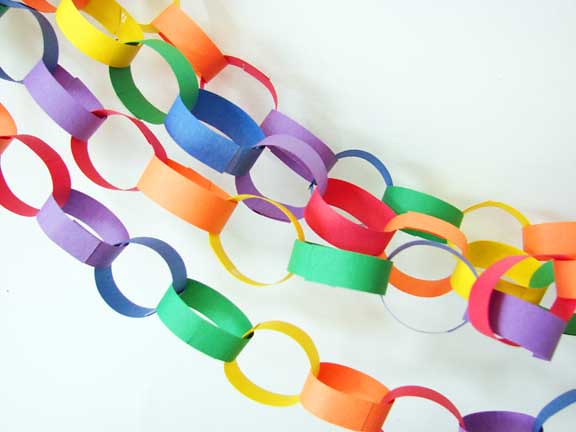
rainbow flickr photo by hownowdesign shared under a Creative Commons (BY-NC-ND) license
What could a web be without links that connect ideas? Hyperlinks are the fundamental unit of connection; use them in your artifact writing. They can help people understand something you are writing to, without having to explain it in great detail.
How, what to link is something you will develop as you write more. But think about it as you write. Consider creating links from your words to relate them to
- References, sources of information (papers, other blog posts, the source organizations of something you are writing about)
- Important people, places. You may be deeply familiar with Henri Bergson or have visited Opatija but help your reader connect to what you know!
- Sources of media you may use, such as the creative commons flickr photo of the pretty chain used above
- Unusual words or terms that might not be widely understood, imagine if I was discussing my night observations of syzygy without elaboration!
- Ideas, phrases that might be connected to, or the work of others. After all, little is truly original. In this way, you almost play with suggesting similarities, or even differences. Links can be playful and exploration inducing.
- Links or embeds of works you have published on other sites, including your own (or others) tweets and hypothes.is annotations — reference the things that have their own web addresses.
Try it out. See how others in the network do or do not use links.
We suggest creating links that are embedded into the writing itself, rather than an obtrusive CLICK HERE TO SEE THE ARTICLE link. Rather, one can improve the effectiveness of hypertext by writing descriptive links that start with a keyword (that article is worth reading).
In a course where you might be reading and reacting to the writings of other participants, links give credit, and quite often, will automatically notify the author that someone linked to them.
Link, and link often.
It’s what makes this a web after all.
Does Your Artifact Stand On Its Own?

Lighthouse in Iceland flickr photo by Stuck in Customs shared under a Creative Commons (BY-NC-SA) license
Many people new to writing online often write a something as if the reader knows the assignment or question the student is responding to, they will just start writing about “I re-did last week’s visual assignment using these photos I took on my phone…”. This is symptomatic of students writing as if the only person reading it is their teacher.
A portfolio artifact ought to have full context; what if it is the only thing someone reads on your site? Will they know what you are writing about, why? Write an artifact as if it is a standalone entity. Use your hypertext skills (see previous section) to link it the thing you are responding to, or make sure you are writing a clear introduction so a reader knows what you are writing about. Or even for yourself, years later, when the context is less present.
Just like a story, a blog post ought to have a beginning, a middle, and an end. And many sequels.
Often when students are asked to publish their work, assignments on a blog, they consider it something like a slot in a door to drop their homework. “Here is my paper…”, “You can watch my video…”, “I snapped a photo of my poster”.
Your portfolio is an opportunity to also tell the story behind something you produced. Where did the idea come from? What is the inspiration? What other work does it related to? And how did you create it? Narrate your process— it will help someone who is interested in your work, and will help you later if you try to do something similar later on? For TWU Portfolios, the aim is not just on showing your artifacts, but also telling the story behind the story, like the extra features on a DVD.
Communicating With Media
DSC03195 flickr photo by KidzConnect shared under a Creative Commons (BY-NC-SA) license
Writing is not only done with words, in a WordPress site you have ability to embed photos, video, animated GIFs, maps, infographics, sounds. Think of doing this not as just trying to “jazz up” an artifact, but also to communicate visually. Photos are wonderful as metaphors, to introduce topics, to ask your reader to interpret it in context of your writing, or as explanatory information.
One important place to use photos or graphics is by adding a Featured Image to your artifact. As an image file uploaded to your published artifact, it should be a visual metaphor to represent it– Featured images are used to represent your artifact when displayed elsewhere on your site.
A best practice is to use your own photos as they will likely best represent your artifact. But if you want to use a metaphorical image, we strongly suggest using one from a source where images are licensed for you to reuse. We suggest Unsplash or Pixabay to find high quality public domain images or searching via Creative Commons.
Even if you are not required to do so, we recommend providing a credit for your use of someone else’s images when you write your artifact. You will see it in practice in this post!
Beyond images, you have an entire internet full of media we can use in our blog writing. Why just link to a YouTube video or a TEDTalk when you can insert it directly into your post? By embedding media we can wrap a video, audio, animation with context– rather then sending a reader away from your writing.
WordPress makes embedding media really simple; simply by putting a URL to the place on the web you found it (YouTube or vimeo page, flickr page, etc) on a single line of your artifact editor.
By simply putting this web address on a blank line in the editor
https://www.youtube.com/watch?v=Poudrd4AYks
WordPress automatically embeds the video
And yes, it can work with content from giphy; by adding a blank line
https://giphy.com/gifs/toXKzaJP3WIgM
We can show what it looks like to be writing in your TWU Portfolio

Learn more about other media than can be easily included in your artifacts, see WordPress embeds.
Featured Image: modified from creative commons licensed (BY-NC-SA) flickr photo by Lotus Carroll