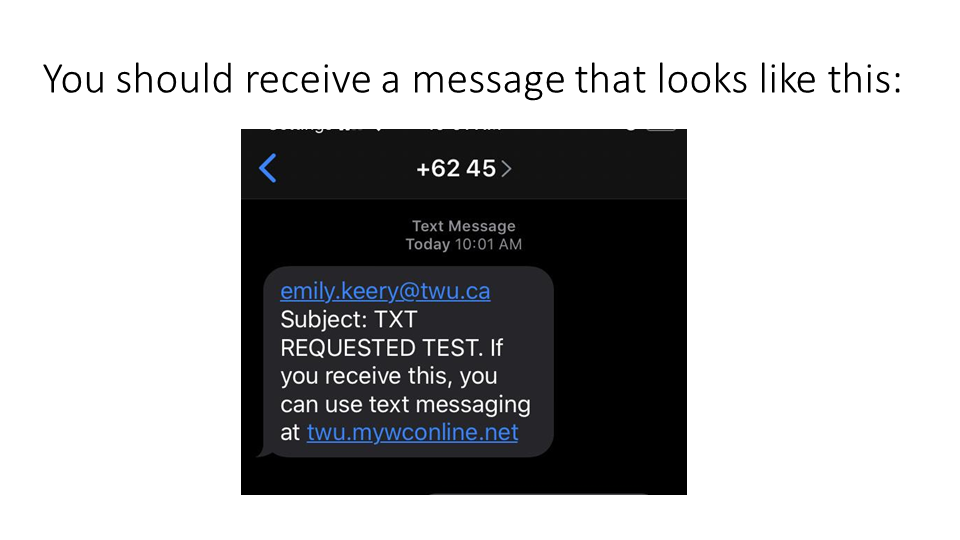
Enable Text Message Reminders Posted on 22 April 20244 July 2024 by Anam Ghazi Learn how to check you are set up for text messages from the Learning Commons:Watch this videoorScroll through the screenshots below. 1. Head over to the Learning Commons website as if you were booking an appointment 2. Click on the "Welcome" text in the upper left hand corner to access your profile options 3. From the drop-down menu, select "Profile and Communications Options." This should take you to a page that looks like this: 4. Scroll down until you reach "Text Messaging Options." Make sure the correct phone number and mobile carrier is entered. 5. To make sure the system is working, have it send a test message to your device Your Feedback Select the Quick Start Guide*Managing AnxietyUsing Academic ResourcesTest StrategiesSelf-testingAPA Format (7th Edition)MLA Format (9th Edition)Active and Passive VoiceDashes and ColonsApostrophesWriting About The BibleColons and SemicolonsSynthesizing InformationMixed SentencesCMS Format (17th Edition)Word PairsPronoun AgreementBooking with a Richmond Learning CoachMisplaced and Dangling ModifiersWriteAway: Submit a PaperWriteAway: Ask an E-QuestionCommasRestrictive and Non-restrictive QualifiersCase of Nouns and PronounsSubject-Verb AgreementRun-on SentencesSentence FragmentsParallelismMotivationSelecting Main IdeasConcentrationTime ManagementInformation ProcessingRegister an AccountSummary, Quote, and ParaphraseHow did you find this Quick Start Guide?* Super Helpful Somewhat Helpful Not Helpful Today Any Comments?Please add your name and email if you would like a response.